Redesigning Tarana Cloud Suite — the network management platform powering 300+ wireless operators across 24 countries.
Imagine being responsible for internet connectivity for millions of homes, and your only tools are fragmented, on-premise systems that break when you need them most.
Tarana Wireless builds next-generation fixed wireless access technology that lets ISPs deliver fiber-class broadband over radio signals — without digging up roads. Instead of months of construction, an ISP puts Tarana base nodes on towers and small remote nodes on rooftops, and delivers high-speed internet where fiber can't economically reach.
The G1 hardware is the muscle. TCS — the Tarana Cloud Suite — is the brain. A cloud-hosted platform on AWS that operators access through a browser to plan, deploy, monitor, troubleshoot, and scale their entire network from a single place.
The users aren't consumer app users. They're NOC operators watching dashboards at 3am, field technicians on rooftops in the rain, and network admins managing 40+ sites from a single screen. And they were suffering.
I owned the end-to-end user experience across all of Tarana's software products — a connected system spanning cloud, mobile, and embedded surfaces.
This wasn't a single product. It was three interconnected surfaces: TCS (the cloud management platform), a Mobile Installer App for field technicians, and the Device Software UI embedded on the G1 radios themselves. Every interface had to feel consistent, purposeful, and fit for its context.
I led a team of 11 — junior designers I mentored directly, and a UI engineering team of nine whose UX execution I directed. Cross-functional work spanned backend engineers, the data team, radio and embedded systems engineers, senior management, customer success, and other PMs.
The team operated across a significant timezone gap — San Jose HQ and Pune, India — across 12+ quarterly release cycles. Twelve consecutive on-time deliveries across a distributed team working on a complex enterprise platform is a result I'm particularly proud of.
Usability testing every 2 weeks. Quarterly interviews. Field visits every 6 months. Analytics on every release via HotJar and Heap.
The decisions where getting it wrong would have cost the platform its trajectory.
The key features I would walk a hiring manager through first — and why each one matters.
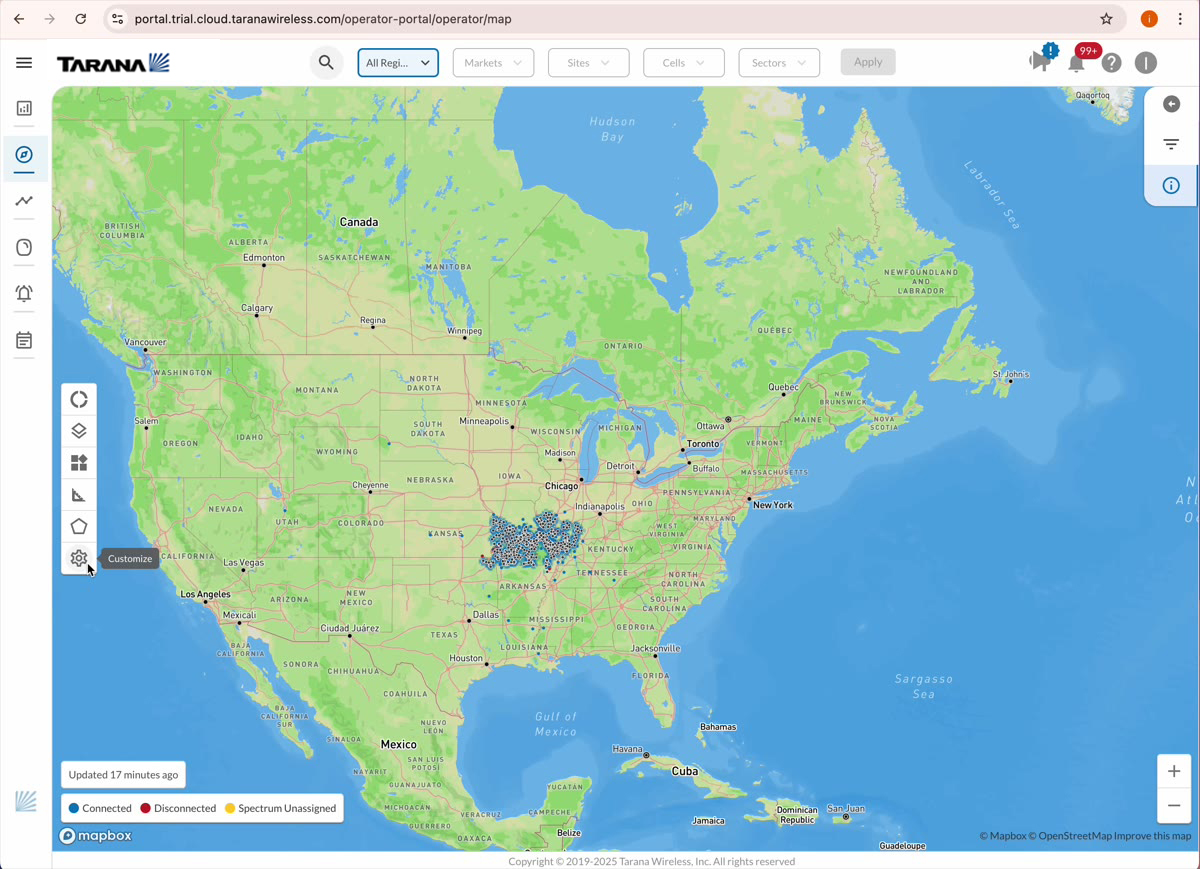
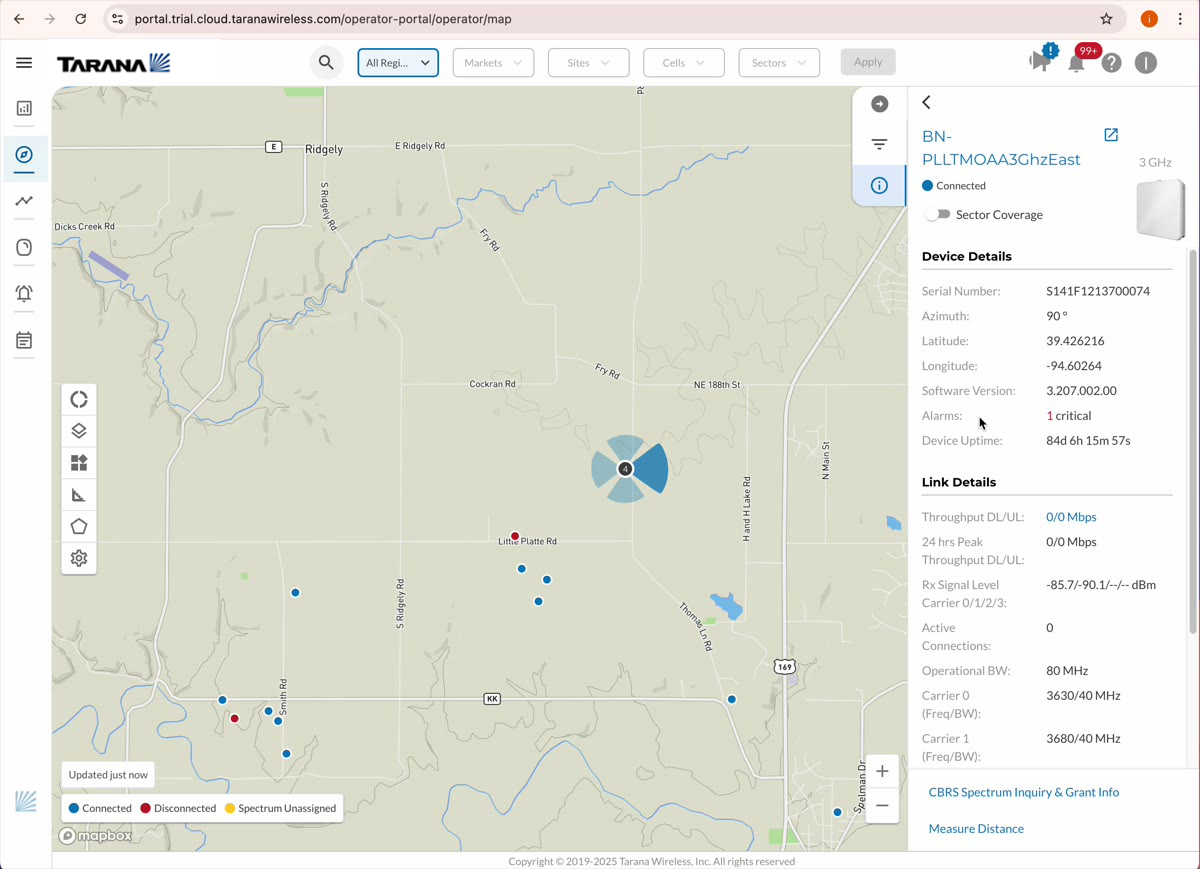
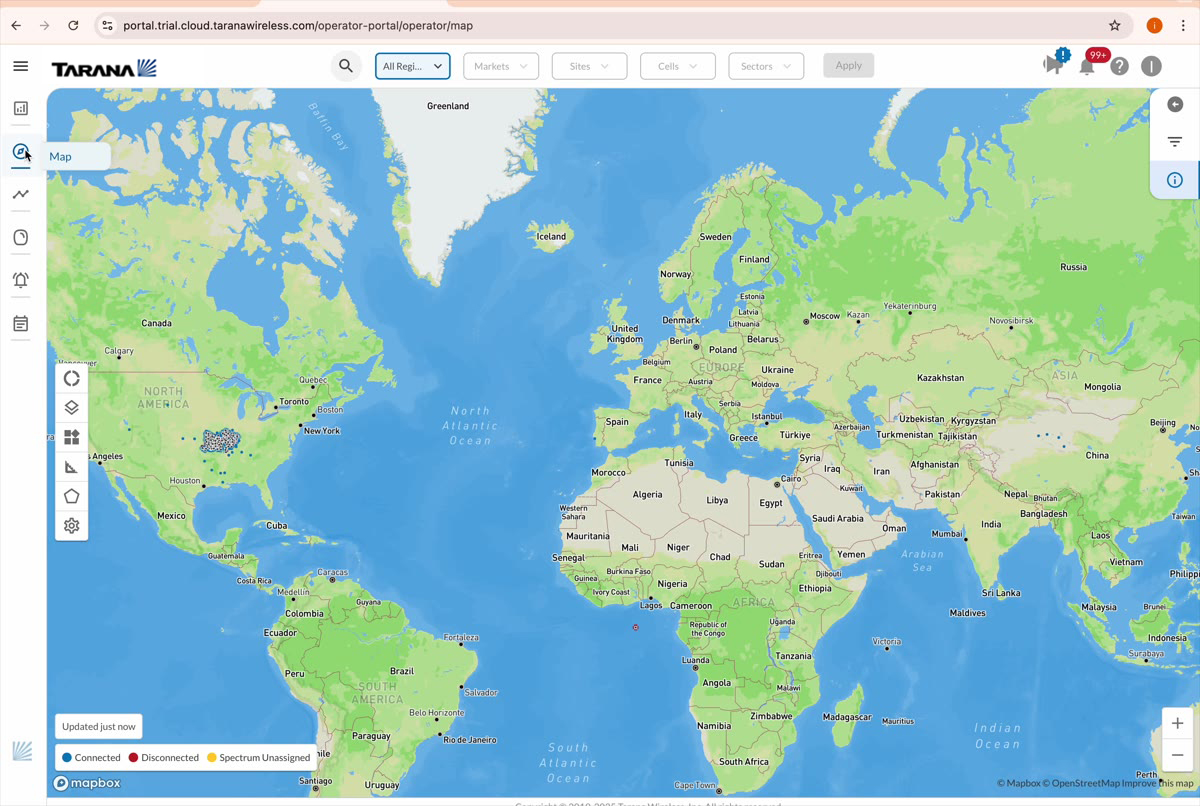
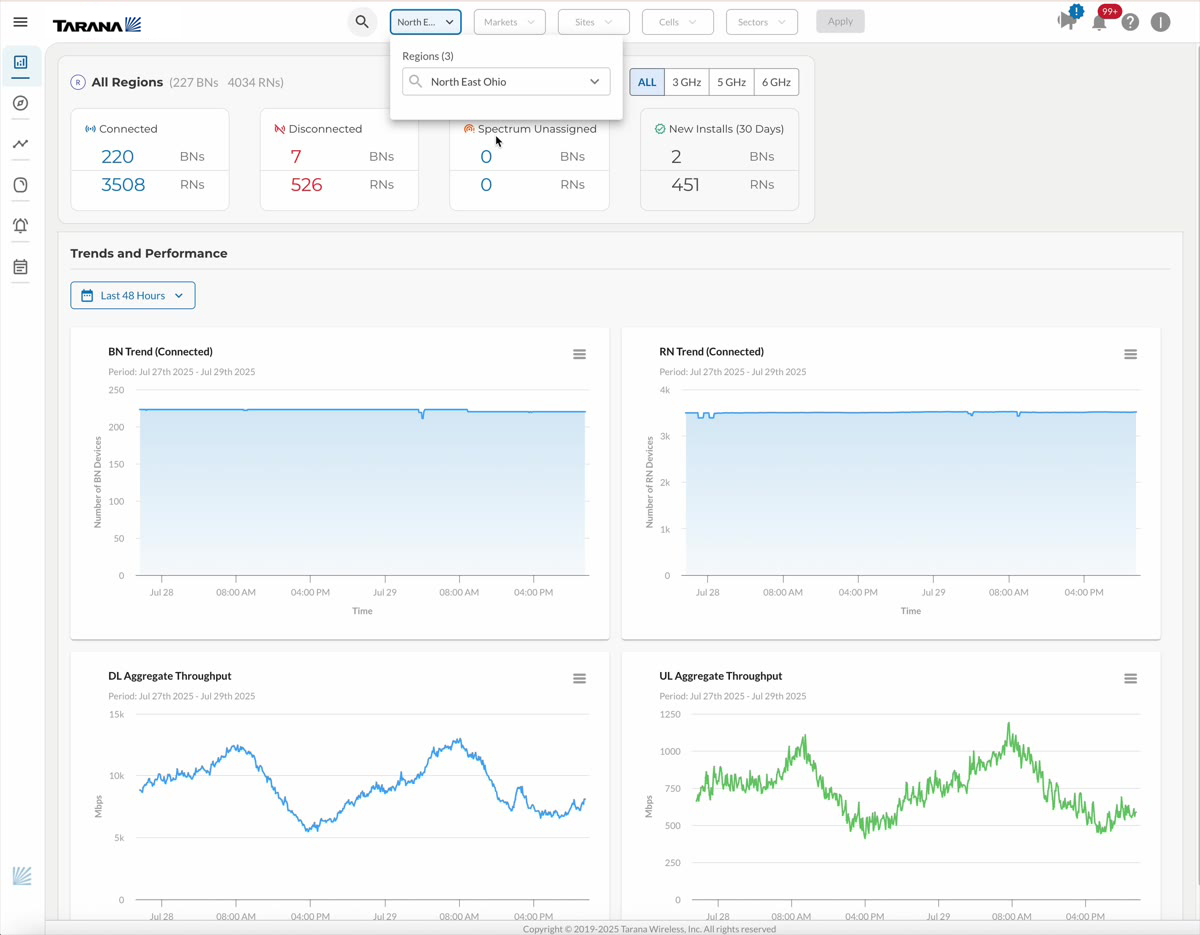
The Mapbox-powered geospatial view is TCS's signature surface and most-used feature. Every base node and remote node appears on a live map, color-coded by health status. Clicking into any point surfaces performance charts, alarm history, sector details, and management actions — without losing geographic context.
For operators managing networks that span hundreds of square miles and thousands of nodes, this was transformative. Instead of navigating tables to find a problem, they could see it. The map reduced cognitive load during triage and gave operators a shared visual language for discussing their networks internally.
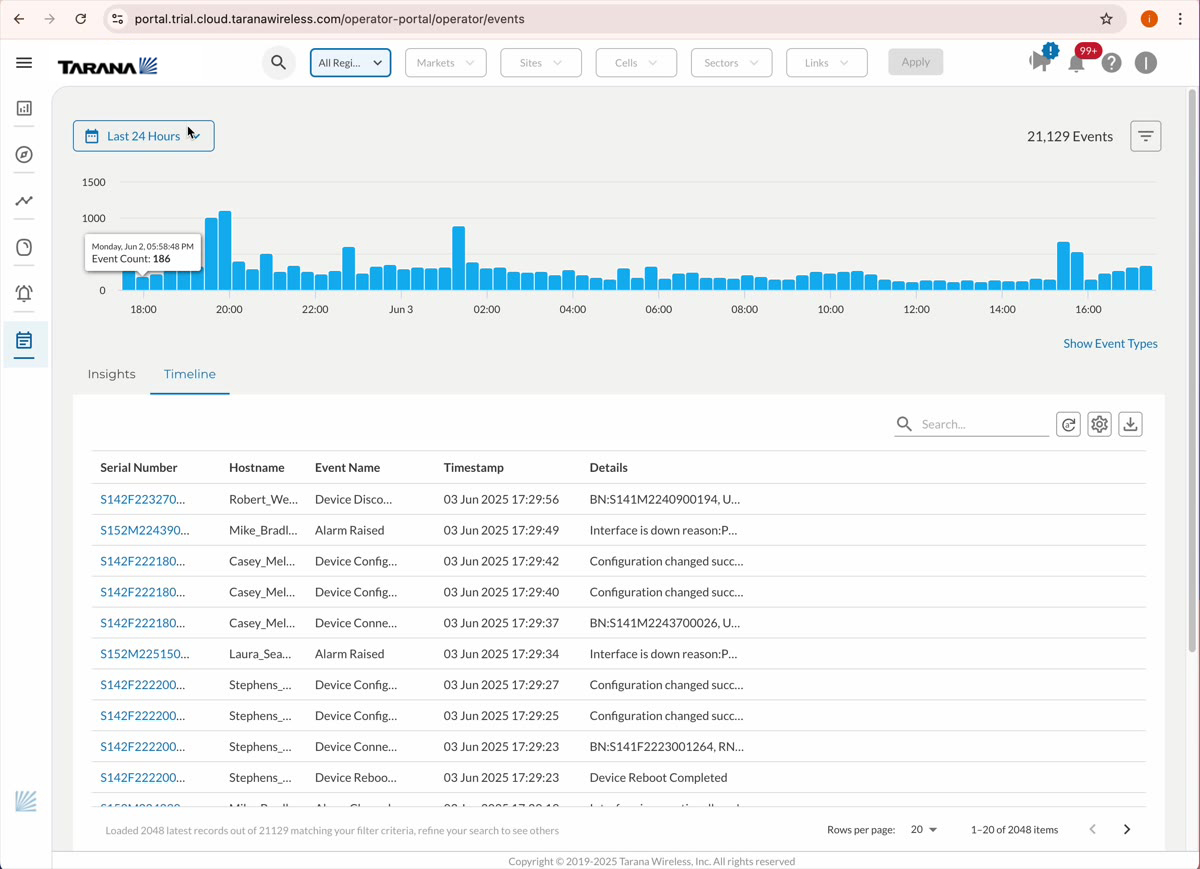
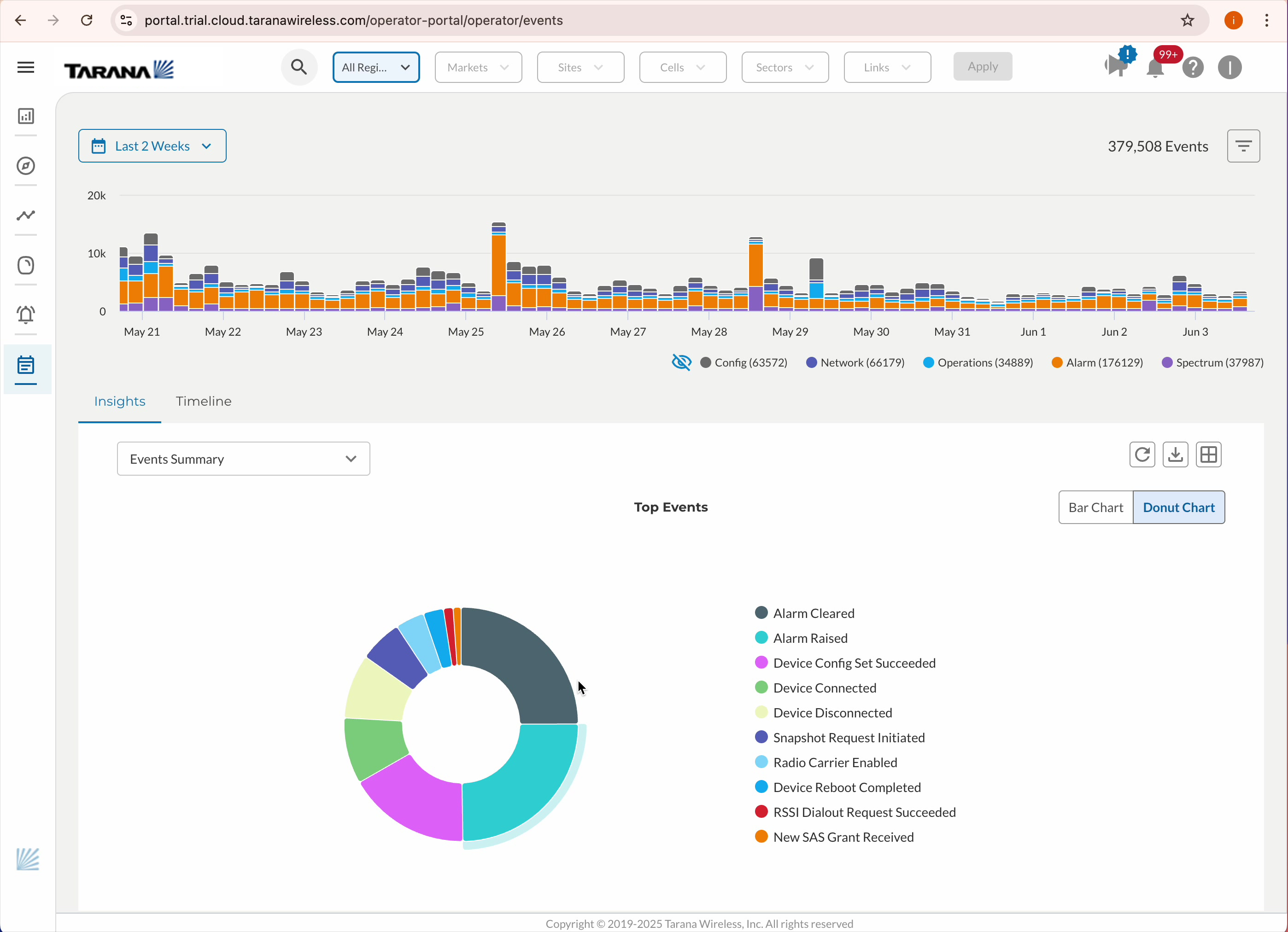
The Events Portal is TCS's troubleshooting engine — built in-house to replace Kibana. It gives NOC operators the ability to correlate network events to radio state changes, link anomalies directly to time-series chart spikes, and drill from a visual alarm into a full event timeline in one click.
This isn't a log viewer. It's a diagnostic workflow built around how an operator actually thinks when something goes wrong at 3am — organized by the NOC operator's mental model, not by how a database organizes events.
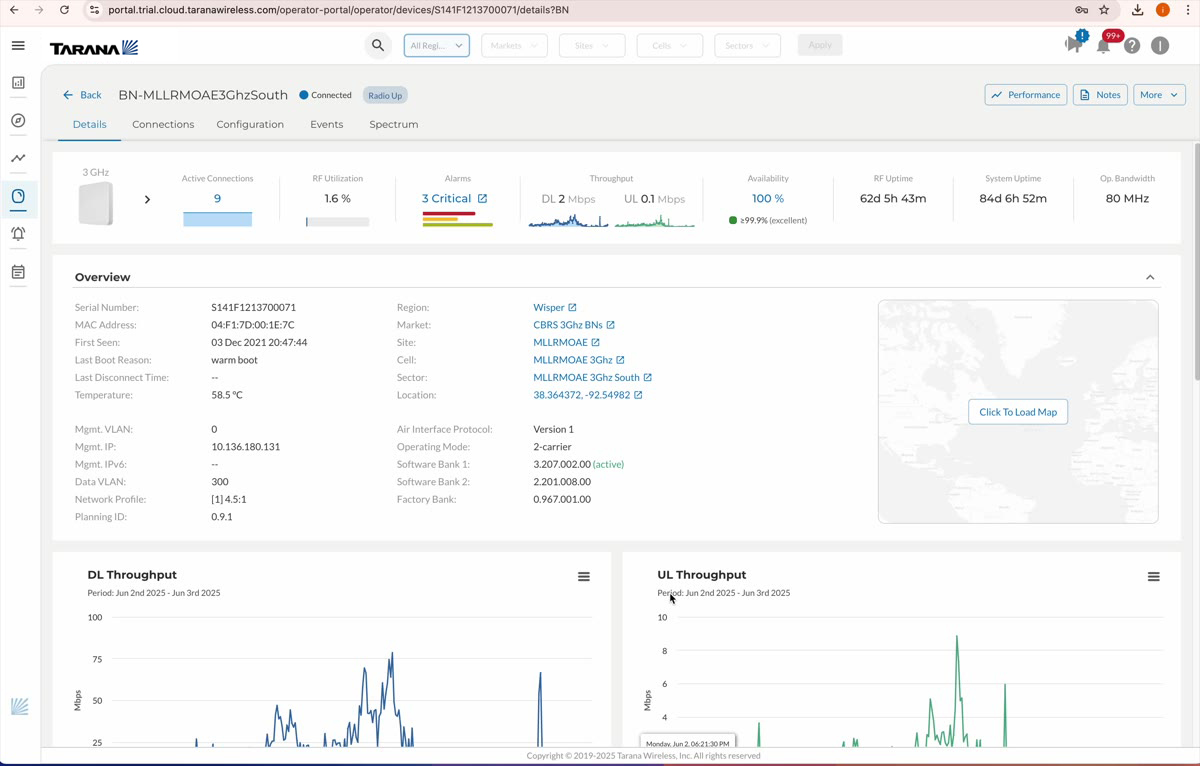
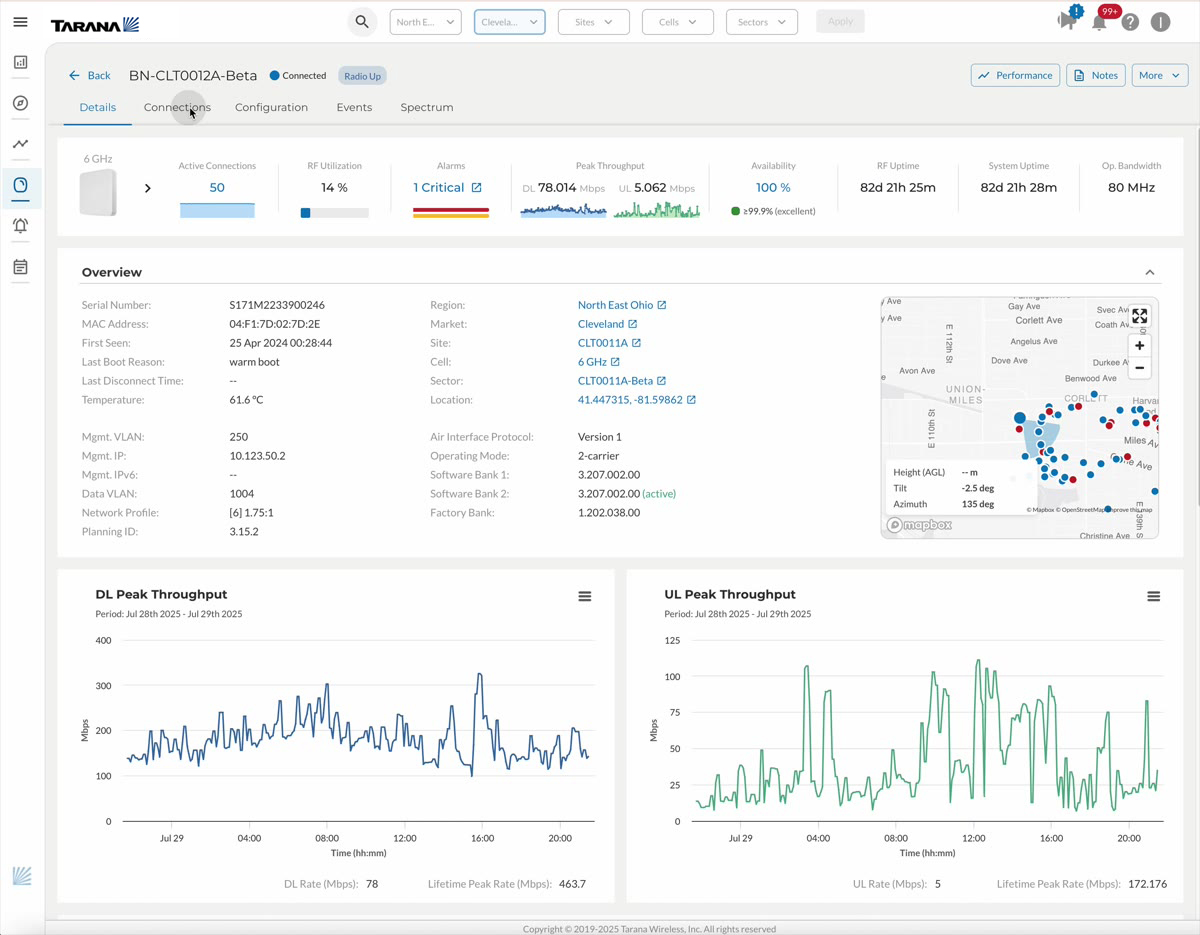
The device detail page is the anchor for remote troubleshooting and installation support. It gives a persistent, always-current view of any individual radio: operational status, software version, link quality, alarm history, throughput charts, and available actions.
Born from the research insight that "radio state must always be visible during troubleshooting," this page translates the operator's most fundamental anxiety — is this radio okay? — into a calm, comprehensive, always-accurate information surface.
These principles governed every design decision on TCS — from information architecture to button placement.
Measured via operator surveys, internal telemetry, Heap analytics, and customer conversations.
"The tools I saw last week really make it seem like you are making great progress in turning TCS into a tool we cannot live without."
How co-creative collaboration resolved disagreements and produced better outcomes than any top-down mandate.
Disagreements with engineering, PM, and senior leadership were a constant feature of this project — not a failure, but a natural consequence of designing complex systems under constraint. The approach that worked consistently: co-creation, not persuasion.
My Deep Dive Design Framework positions UX as a collaborative function that shifts its center of gravity depending on the phase: tightly coupled with PM while ideating, tightly coupled with PM and loosely with Engineering while designing, tightly coupled with Engineering and loosely with PM while delivering.
Rather than asserting design authority, this model invited engineering and PM into the design process at the right moments — using parallel tracks and structured co-creation sessions to build shared ownership. The result: fewer standoffs, faster convergence, and better outcomes.